Best Apps for Instagram to Skyrocket Your Followers and Engagement


1. The Best Apps for Instagram to Create Vibrant Visuals
In 2026, a “good” design is no longer enough; you need an aesthetic that is specific to your brand identity to stand out from the noise. Visual consistency is the first thing users audit before hitting the follow button.
Canva: The All-in-One Powerhouse
Canva remains the undisputed leader for speed and accessibility in the social media world. In 2026, its Magic Studio has evolved from a simple assistant into a comprehensive AI suite that allows creators to generate high-fidelity images from text prompts and transform static posts into dynamic animations in mere seconds. This makes it one of the best apps for Instagram for those who need to maintain a high posting frequency without sacrificing visual quality.
- Pros:
- Massive Template Library: With access to over 100 million high-quality assets, you never have to start from a blank page. This is essential for maintaining a consistent brand aesthetic.
- Seamless “Magic Switch”: This standout feature allows you to resize a single design for Stories, Posts, and Reels instantly. It even translates your content into multiple languages, making it easier to tap into global markets.
- AI-Powered Editing (Magic Grab & Expand): Tools like “Magic Grab” allow you to select and move any subject in a photo as if it were a separate sticker, while “Magic Expand” helps you refine the composition by generating extra background space.
- Excellent Team Collaboration: The platform is built for growth, making it easy to collaborate with partners or clients in real-time. You can set up “Brand Kits” to ensure every team member stays in sync with the brand’s colors and fonts.
- Cons:
- The “Generic” Trap: Because it is so popular, common templates can make your brand look “unoriginal” if not customized heavily. To stand out from the competition, you must put in the extra effort to tweak the defaults.
- Limited Export Flexibility: Unlike professional software, Canva’s project files cannot be easily opened in advanced tools like Adobe Illustrator, which may be taxing on professional designers who require vector-level precision.
- Best for: Small business owners, marketing teams, and solo creators who prioritize speed and need to produce high-volume content without a steep learning curve.
Adobe Express: The Professional’s Edge
If Canva feels too “basic” for your brand’s evolving needs, Adobe Express is the next logical step. It leverages the legendary power of Adobe’s professional engines—Photoshop and Illustrator—while keeping the interface remarkably user-friendly. In 2026, it has become one of the best apps for Instagram for creators who want professional-grade results without the complexity of traditional desktop software.
- Pros:
- Generative AI via Adobe Firefly: This is the “crown jewel” of the app. It allows for high-end Generative Fill, meaning you can add, remove, or replace objects in your photos with extreme realism that rivals professional retouching.
- Seamless Creative Cloud Integration: It is perfectly integrated with Photoshop and Illustrator. You can start a complex asset on your desktop and refine it on your mobile device instantly.
- Superior Typography: Access to the entire Adobe Fonts library ensures your text always looks crisp and high-end, helping you stand out from the “Canva-style” aesthetic.
- One-Click Actions: Its AI-powered background removal and video resizing tools are incredibly fast and accurate enough to handle complex subjects like hair or transparent glass.
- Cons:
- Resource Heavy: The high-end AI features can be taxing on older smartphones, leading to occasional lag.
- Asset Library: While vast, it is not as “social-media-trendy” as Canva’s library, requiring more manual effort to find the perfect sticker or element.
- Best for: Professional designers, brand owners, and creators who prioritize high-end aesthetics and require seamless synchronization with professional Adobe tools.
2. Best Apps for Instagram Video Editing and High-Retention Reels
With Reels dominating the algorithm, using the best apps for Instagram video editing is non-negotiable for anyone wanting to skyrocket their reach.
CapCut: The Trendsetter’s Choice
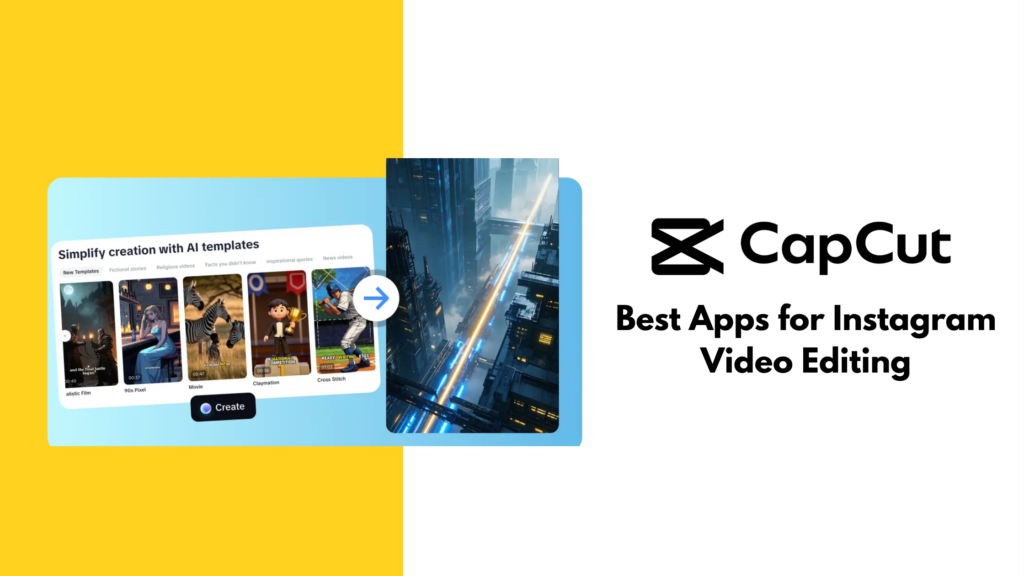
Since it is owned by ByteDance, CapCut is always in sync with the latest viral trends, making it the best app for Instagram Reels in 2026. It has moved beyond simple trimming to become a full-scale AI production studio. Its AI-driven features, such as “Auto-Captions” and “AI-Body Effects,” are no longer just cool extras—they are now the industry standard for high-retention storytelling.
- Pros:
- Direct Social Integration: CapCut allows for direct integration with trending music from TikTok and Instagram, ensuring your videos always have the “right” sound to trigger the algorithm.
- Advanced AI Suite (Auto-Cut & Script-to-Video): The new Auto-Cut agent can automatically identify the most engaging moments in long footage and transform them into “bite-sized” Reels. You can also use “Script-to-Video” to generate a complete edit from just a text prompt.
- Professional-Grade Power: It is advanced enough to handle 4K exports at 60fps with ease. The multi-layer timeline allows for complex masking and keyframe animations that were once only possible on desktop software.
- AI-Voice & Avatars: You can now leverage realistic AI character voices to narrate your videos, which is perfect for creators who want to remain faceless but still sound professional.
- Cons:
- Watermark Awareness: While it is removable, the app often defaults to adding a branded ending, which can feel cluttered if you forget to delete it.
- Privacy & Corporate Risks: ByteDance’s data policies remain a point of concern for some corporate brands. Many professional agencies now refrain from using it for sensitive client work due to updated terms of service regarding content rights.
- Best for: Creators focused on viral growth, “edgy” transitions, and anyone who wants to maximize their reach through high-energy Reels.
InShot: The Reliable Workhorse
If CapCut is for “viral trends,” InShot is the best app for Instagram lifestyle bloggers who prioritize a clean, intuitive, and classic aesthetic. It remains the most reliable “on-the-go” editor for those who want to post instantly without a steep learning curve.
- Pros:
- Unrivaled Simplicity: The linear timeline is extremely intuitive, making it much faster for basic cuts, adding “evergreen” filters, and adjusting canvas ratios.
- Photo & Video Hybrid: Unlike CapCut, InShot is versatile enough to handle both photo collages and video edits, allowing you to keep all your visual assets in one place.
- Lightweight Performance: It is much less taxing on older smartphone processors, providing a seamless experience even when editing long-form 1080p clips.
- Cons:
- Lacks AI Depth: It does not have the same level of “Magic” AI tools (like auto-reframe or AI-body tracking) that its competitors offer.
- Manual Trend Hunting: You cannot browse trending sounds directly within the app; you must manually import audio or record your screen.
- Best for: Influencers, lifestyle vloggers, and beginners who want a straightforward tool to maintain a beautiful and consistent feed.
3. Maximize Efficiency with the Best Apps for Instagram Scheduling
To get a lot of followers, you must post when your audience is most engaged with your content. Automating this process is essential for maintaining a professional presence and ensuring your brand stays active even while you sleep.
Later: The Visual Architect
Later remains the gold standard for creators who prioritize their “grid aesthetic.” It is famous for its Visual Planner, which allows you to see exactly how your future posts will look on your profile before you hit publish. In 2026, it has expanded its AI features to help you refine your posting strategy.
- Pros:
- Visual Drag-and-Drop Planner: This is Later’s cornerstone. You can rearrange your scheduled posts on a mock-up grid to ensure your colors and themes are harmonious.
- Linkin.bio Integration: It transforms your “link in bio” into a clickable, shoppable version of your Instagram feed, which is essential for driving traffic to your website.
- Auto-Publish for Everything: Unlike older versions, Later now supports full auto-publishing for Reels, Stories (with link stickers), and Carousels.
- Best Time to Post AI: It analyzes your unique follower data to recommend the exact minute you should post to maximize your initial reach.
- Cons:
- Pricing Tiers: It has become more expensive than many competitors in 2026, and the free plan has been discontinued in favor of a short 14-day trial.
- Post Limits: Even paid “Starter” plans often have a cap on the number of posts (e.g., 30 posts per month), which can be taxing on high-volume creators.
- Best for: Aesthetic-focused brands, influencers, and fashion labels where the “Grid Look” is the top priority.
Buffer: The Efficiency Expert
Buffer focuses on simplicity and multi-platform reach. It is one of the best apps for Instagram if you are a “cross-platform” creator who also manages accounts on TikTok, LinkedIn, or Threads.
- Pros:
- Clean and Intuitive UI: Buffer’s dashboard is famous for being “clutter-free,” allowing you to schedule a week’s worth of content in minutes.
- AI Assistant: It features a built-in AI that helps you transform one caption into multiple versions tailored for different platforms (e.g., making it professional for LinkedIn but “edgy” for Instagram).
- Transparent Pricing: Buffer is much more affordable for solo creators, as you only pay for the number of “channels” (accounts) you connect.
- Multi-Platform Sync: It is perfectly integrated with 12+ platforms, including emerging ones like Bluesky and Mastodon.
- Cons:
- Basic Visual Tools: The grid preview is not as crisp or detailed as Later’s, and it lacks the “drag-and-drop” flexibility for grid planning.
- Limited Link-in-Bio: While it has a “Start Page,” it isn’t as specialized for Instagram-specific sales as Later’s “Linkin.bio.”
- Best for: Solopreneurs and creators who want a seamless workflow across all social channels without overcomplicating things.
Conclusion
In the competitive landscape of social media, your success is often determined by the tools you use. Choosing the best apps for Instagram is not just about making your photos look better; it is about building a scalable and efficient workflow that allows you to focus on what truly matters—connecting with your community.
Whether you opt for the design power of Adobe or the scheduling convenience of Later, remember that these tools are the fuel for your creativity. By integrating the best apps for Instagram into your daily routine, you bridge the gap between a casual presence and a robust, influential brand. Now is the time to audit your current strategy, select the right tools from this list, and watch your engagement skyrocket.